
About Pyaura
Pyaura: Your Vision UnlockedCustomized for You With Pyaura you ( or we ) can create tailored audio-visual solutions that fit exactly to your specific needs, not a one-size-fits-all system. Pyaura works exactly how you want it to, designed specifically for your organization and your people.No Brand Lock-in Unlike traditional systems, Pyaura isn’t tied to a single manufacturer. You are free to use a wide range of hardware, giving you total choice, flexibility, and control over your infrastructure. Budget-Friendly & Reliable Get a commercial-grade, scalable system without the "proprietary tax." By leveraging off-the-shelf components, Pyaura saves you money and gets your environment up and running faster. Future-Proof Technology Built on modern, open-source technologies, Pyaura taps into a vast global community of development. This ensures your system stays relevant, secure, and easy to support for years to come. 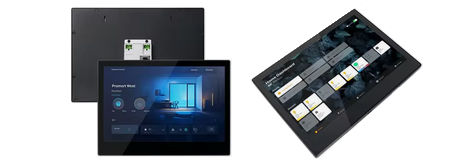
What is Pyaura?Pyaura is a web-based control platform designed to unify and simplify the management of commercial audio-visual hardware. It moves away from traditional, restricted systems by providing a centralized hub that bridges the gap between complex hardware and user-friendly control.The Analogy Think of Pyaura as the operating system for your commercial AV environment. Just as an OS allows you to run different applications on one computer, Pyaura allows you to orchestrate, customize, and automate diverse hardware brands through a single, cohesive web interface. Why Choose Pyaura?Built for Every User Pyaura is designed for the entire spectrum of users. For the non-technical person, it offers a clean, intuitive interface that requires no training. For the highly skilled programmer, it provides a powerful framework to build sophisticated, custom automations using modern standards.Hardware Agnostic & Future-Proof Traditional systems lock you into one brand. Pyaura is platform-independent, acting as a master translator between your legacy equipment and your newest tech. This ensures your system remains flexible and your investment is protected as technology evolves. Streamlined & Scalable Deployment Instead of manual, one-by-one hardware configurations, Pyaura centralizes the logic. This makes it easier to standardize settings across a network , reducing friction and ensuring a consistent experience. Control Without Borders Because Pyaura lives on the web, your control interface isn't stuck on a single wall-mounted panel. You can securely access and manage your AV environment from any device with a browser, whether it’s a tablet, a laptop, or a dedicated touch screen. Please note, as web browser control may sound dangerous to some, Android touch panels have kiosk options to lock out unauthorized actions. AdvantagesHighly Scalable Pyaura grows with your business. Whether you are managing a single room or a much larger network of endpoints, the system expands effortlessly without requiring a complete hardware overhaul.Extremely Customizable Unlike "cookie-cutter" systems, Pyaura is a blank canvas. You can design bespoke user interfaces and automation workflows that match your brand identity and specifically fit how your team actually works. Mission-Critical Reliability By moving control logic to stable web environments, Pyaura eliminates the "single point of failure" common in old hardware processors. It is designed to stay online 24/7 in high-stakes commercial environments. Industry-Standard Coding Languages Pyaura uses the languages the world already knows, like Python, JavaScript, HTML, and CSS. This means you aren't locked into a specialized AV programmer. Any modern web developer can support and expand on your system. Non-Proprietary & Open Systems We believe in "Open Standards." Pyaura uses standard IT practices and protocols, ensuring it integrates perfectly with your existing network security and infrastructure rather than fighting against it. Supports Open Source Innovation By supporting open-source code, Pyaura gives you access to a massive libraries of community-driven tools and drivers. You are never stuck waiting for a manufacturer to release an update—you have the power to build it yourself. Maybe you want AI integration. Yes, it is do-able. Pyaura OriginPyaura is based in Sydney, Australia, where it was conceived. Pyaura moved out of the bedroom and into the real world long ago. Many hours of late nights, trial and error, bad coffee and persistence, Pyaura is born.Key Take AwayPyaura is the result of years of real-world testing and is already proven in numerous venues. This foundation has sparked a new wave of momentum, as more people discover a platform that puts control back where it belongs: that is, with you. Investing in Pyaura means you have made the right choice. You’ve joined a growing movement that puts the user first and reclaimed your independence from restrictive corporate ecosystems. It is not just a tool, it is the future of Audio Visual. |
Projects
Examples of Pyaura Systems.
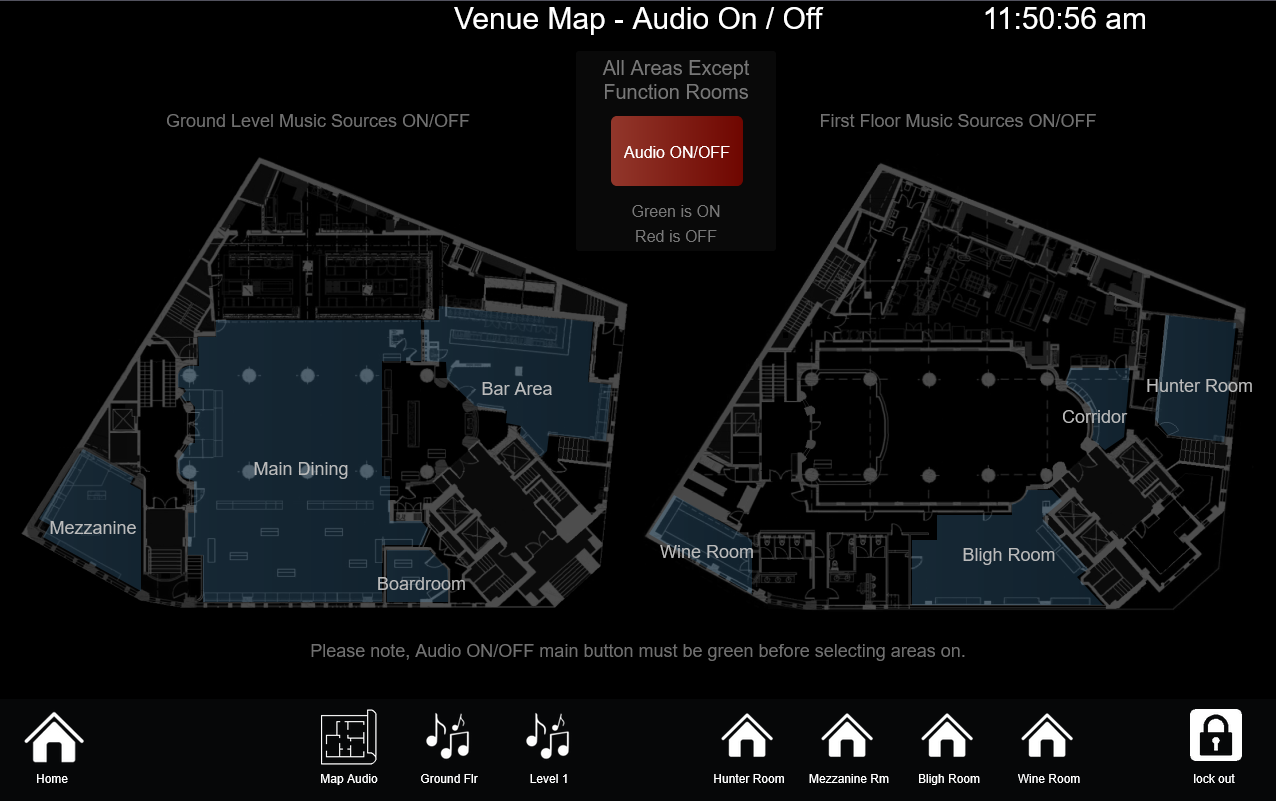
Hospitality Use
Control of various audio zones through out a venue.Controls kept simple for anyone to use.
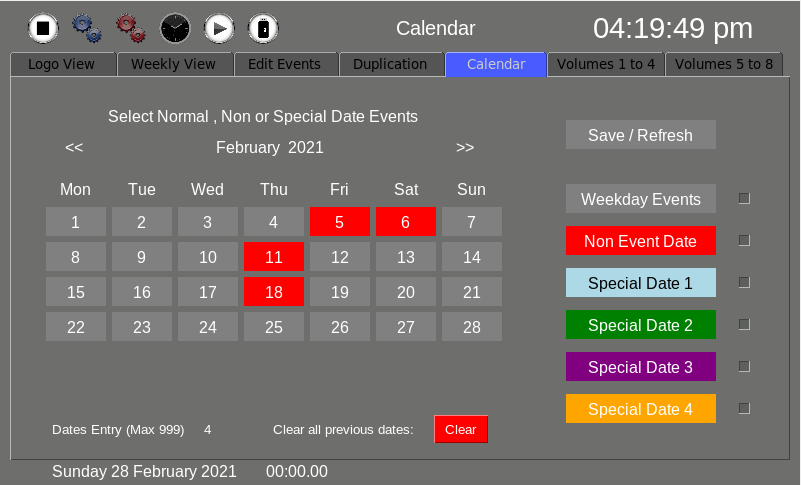
Scheduling
Events can be scheduled, these events cam actually do something for you. Eg trigger a messgae. Turn off a device.Change a light preset.
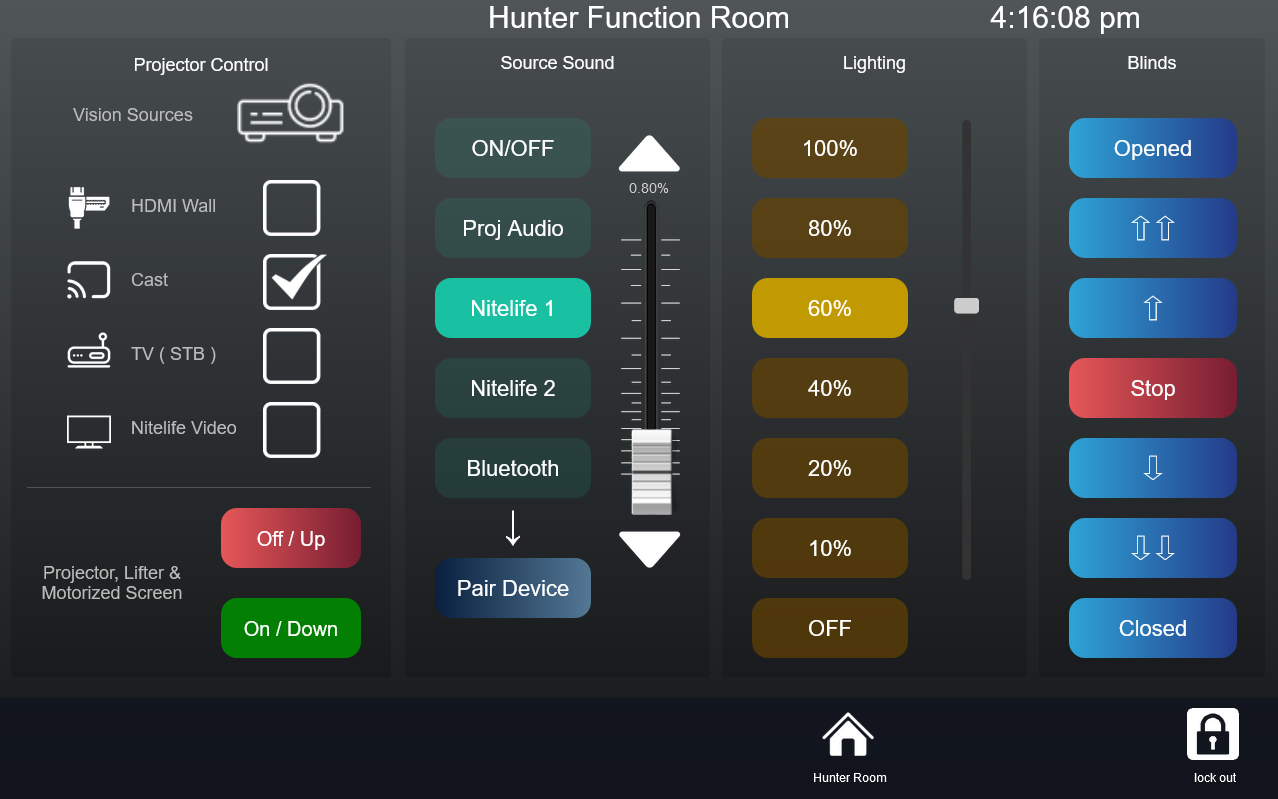
Room Functions
Control various devices such as lighting or blinds.
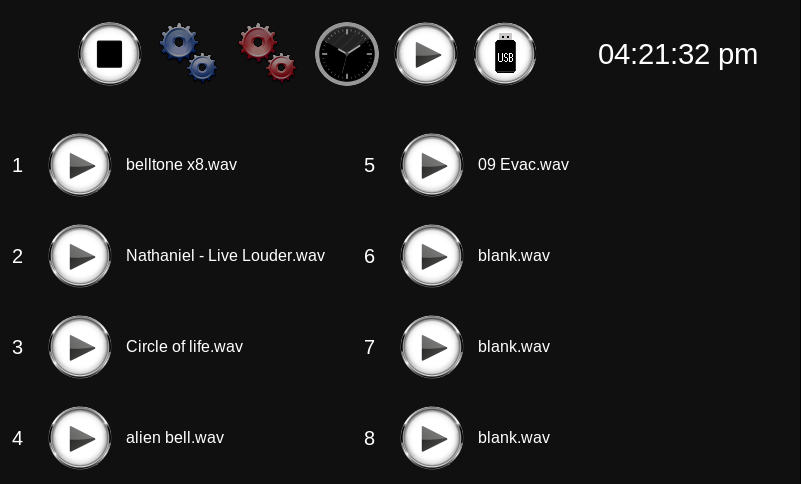
Messages
Sometimes a simple interface to play basic audio files is all that is needed.Keep things really simple, when needed.
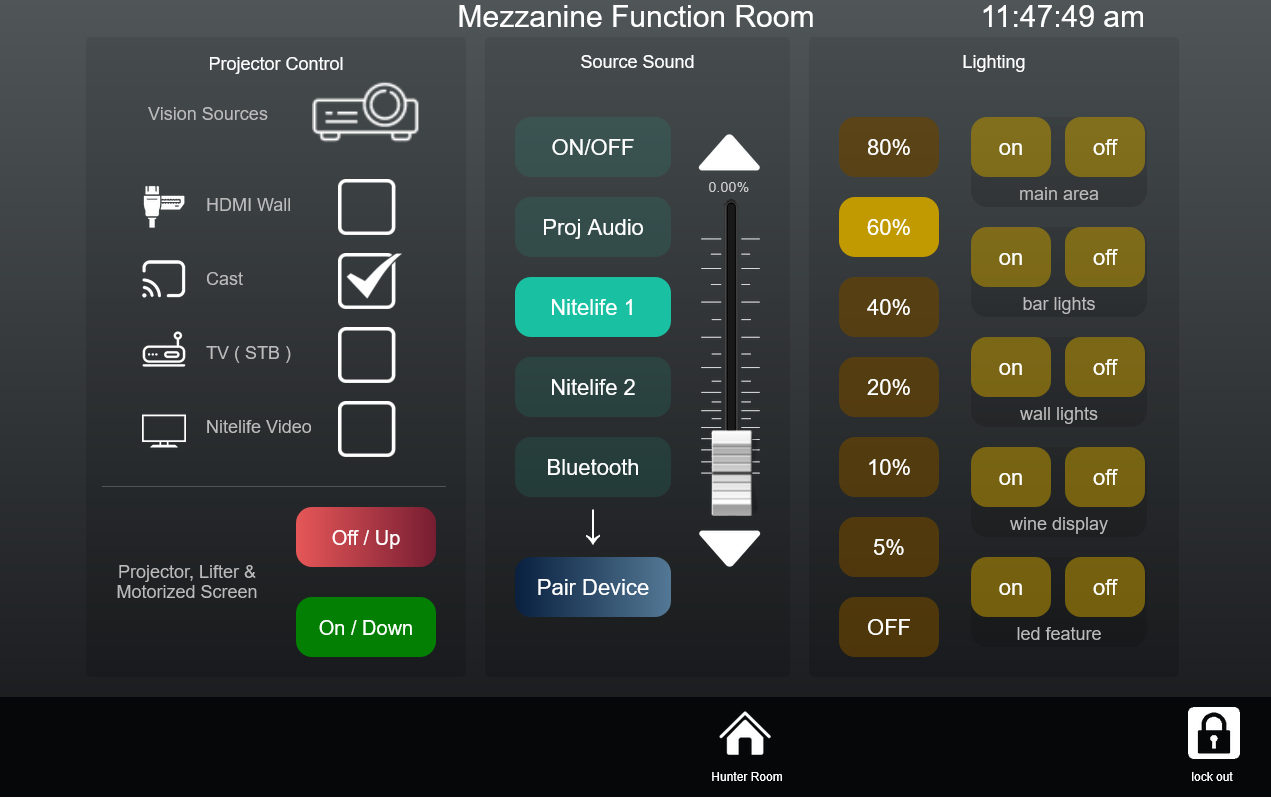
Hospitality Use
Example of simple control. Tailored for the end users.
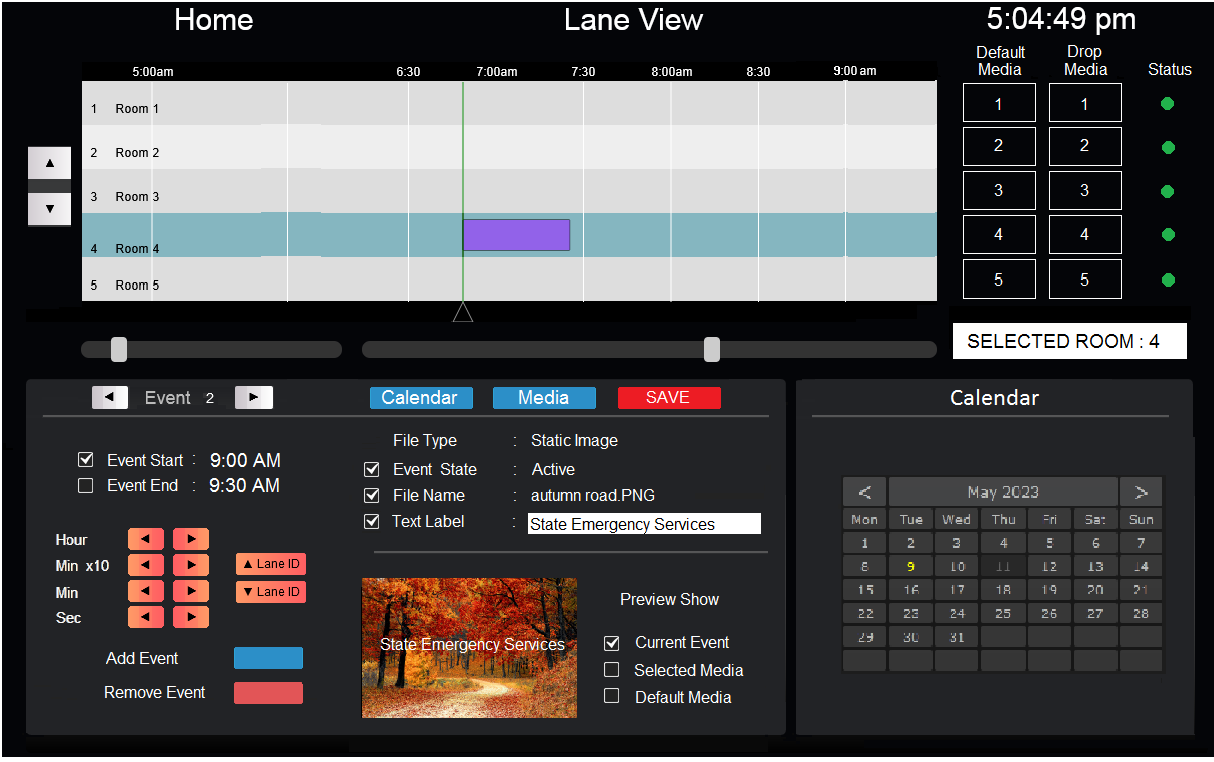
Calendar
An early version calendar screen shot.For calendar driven people.
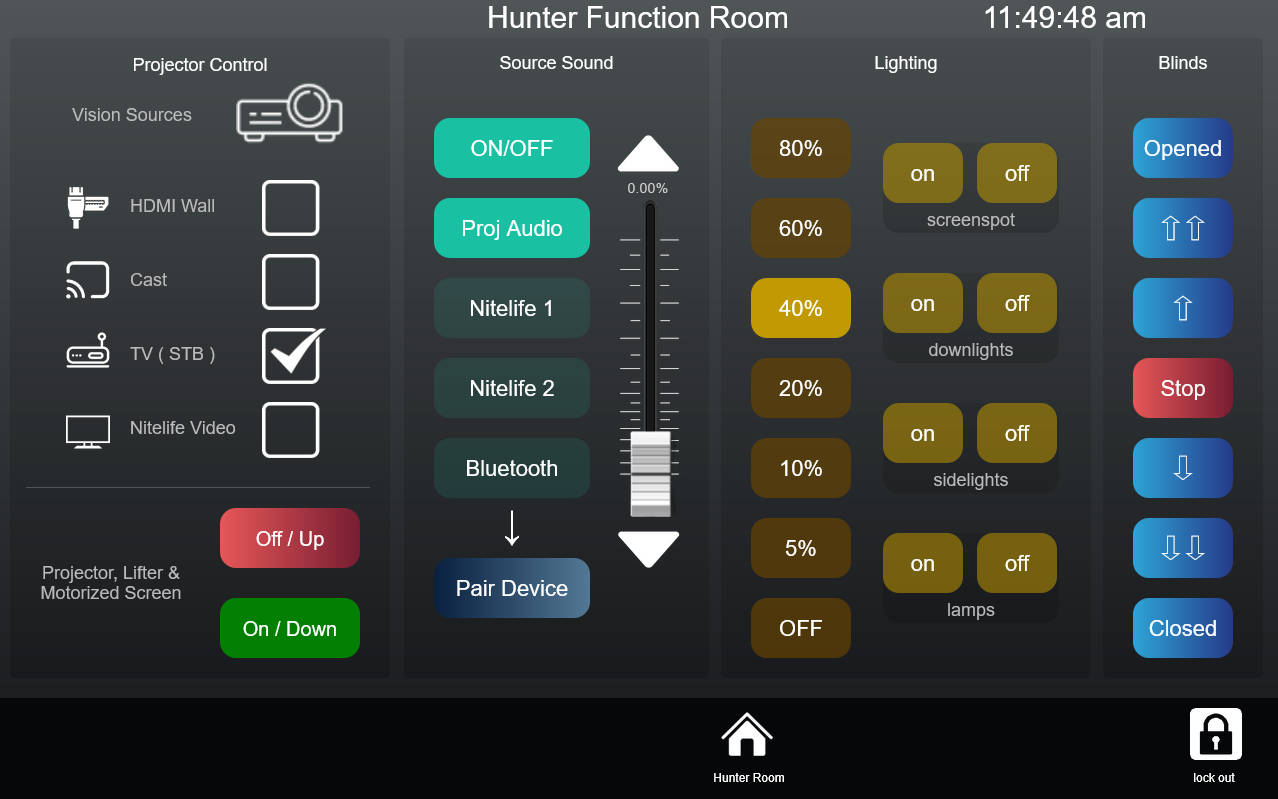
Hospitality Use
Simple example of control. Slight changes to suit the individual room.
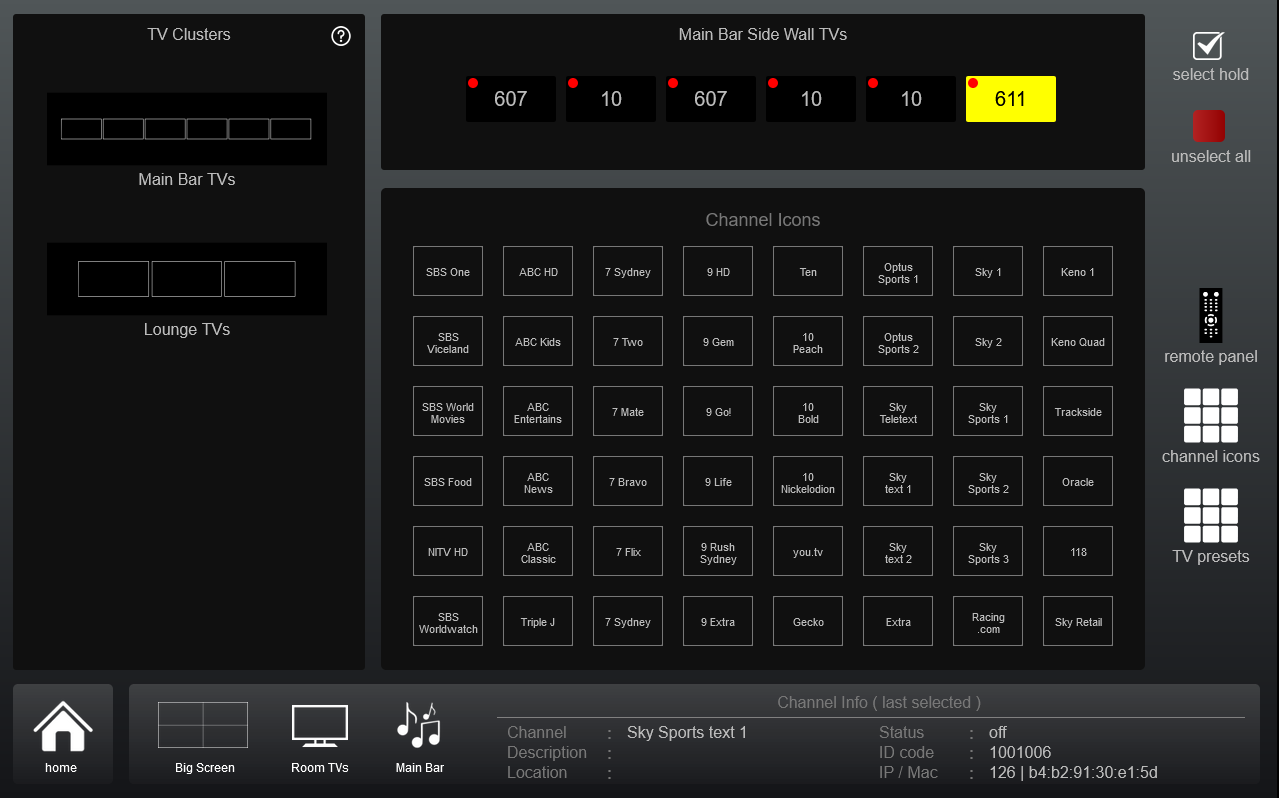
TV Channels
Need tv control with channel options.
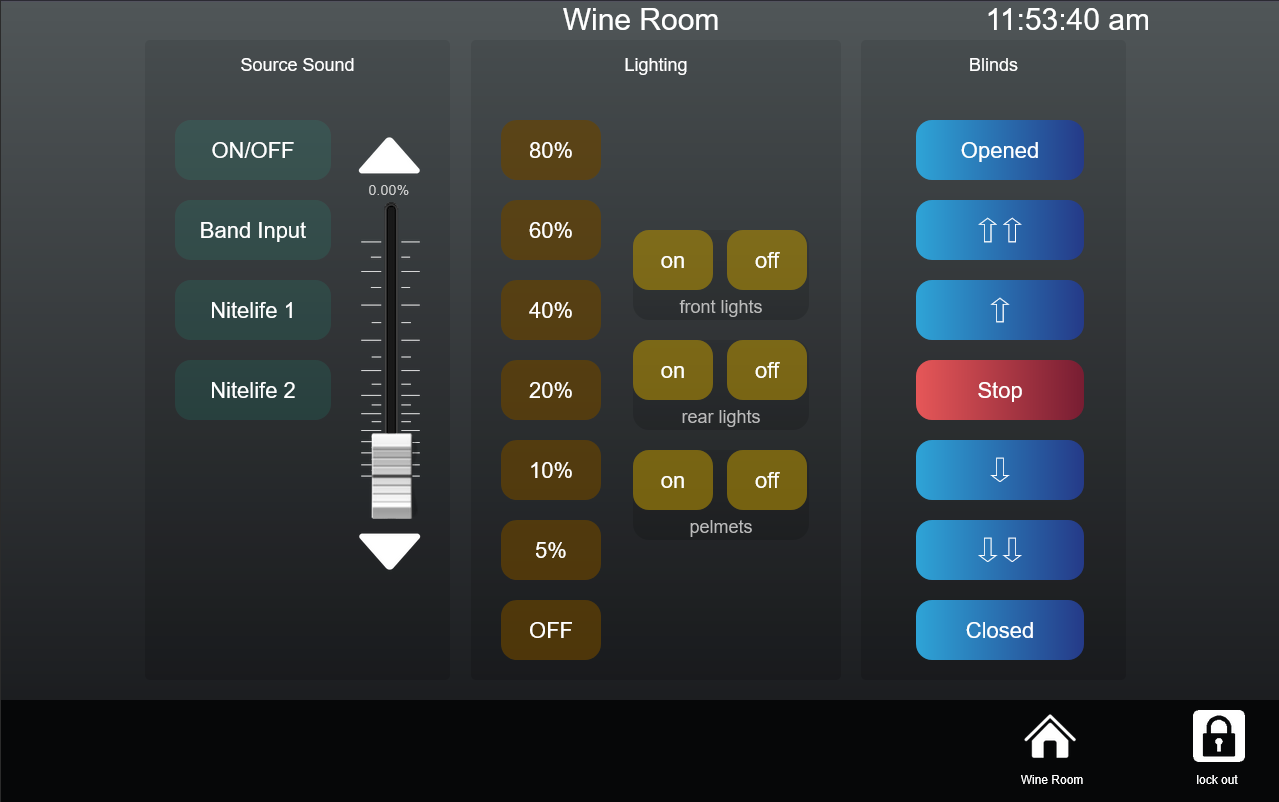
Hospitality Use
Another example. Simple and clean pages. Without clutter. You don't need to have a pilots licence to operate. No one likes panels to be overly compilcated or confusing.
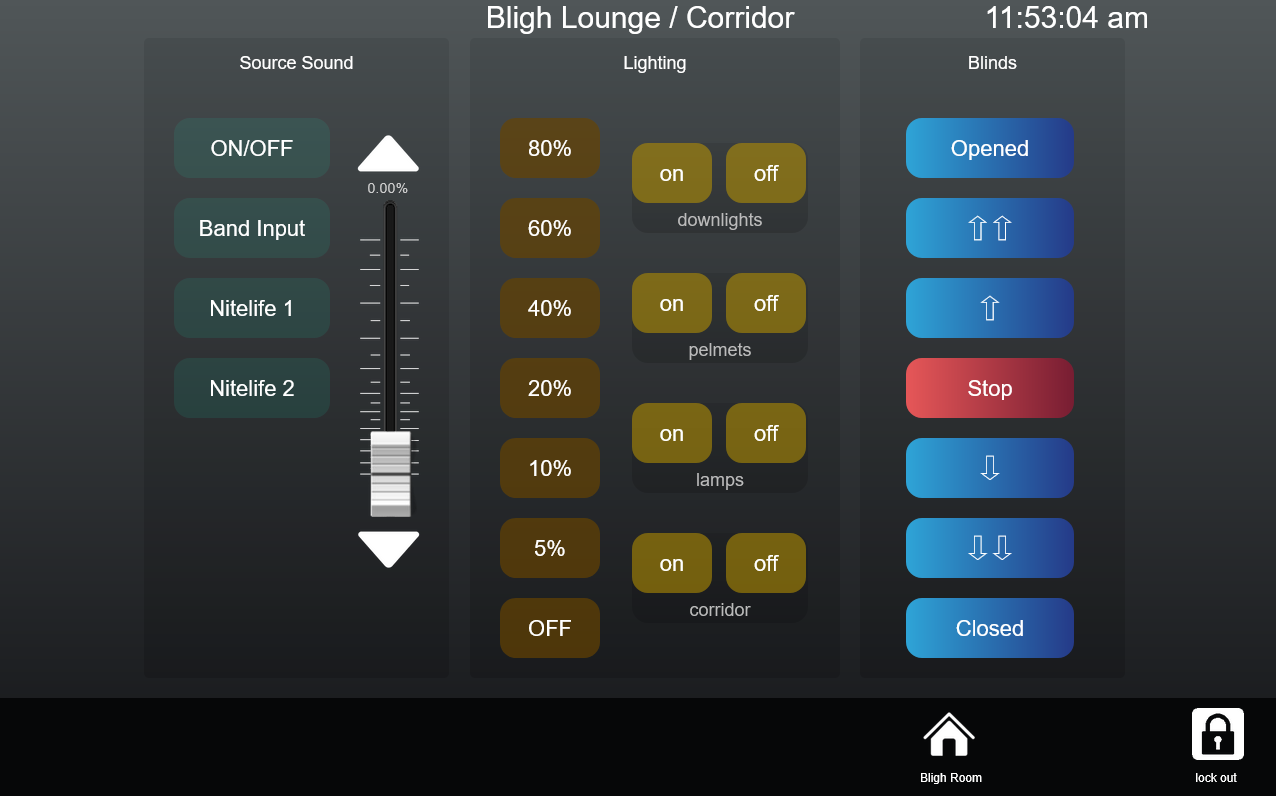
Hospitality Use
Sometime certain features are not in rooms. Simply we leave them out.
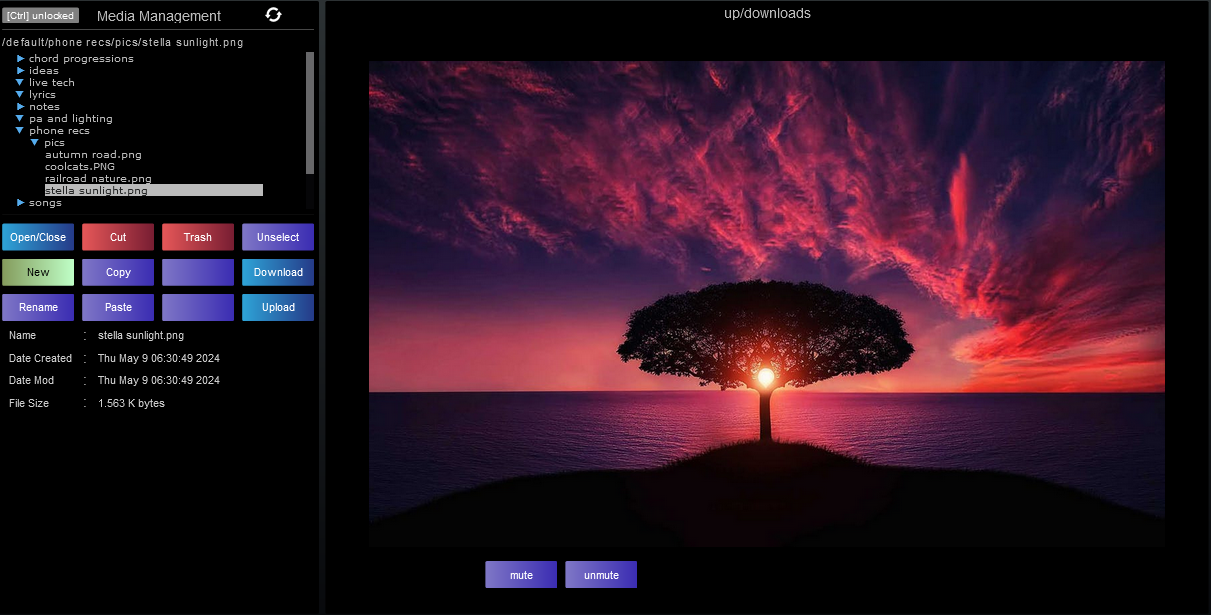
Upload Download
Sometime media is required to be uploaded or downloaded. built in treeview items can be used within projects. If you can think it up, then Pyaura can do it.
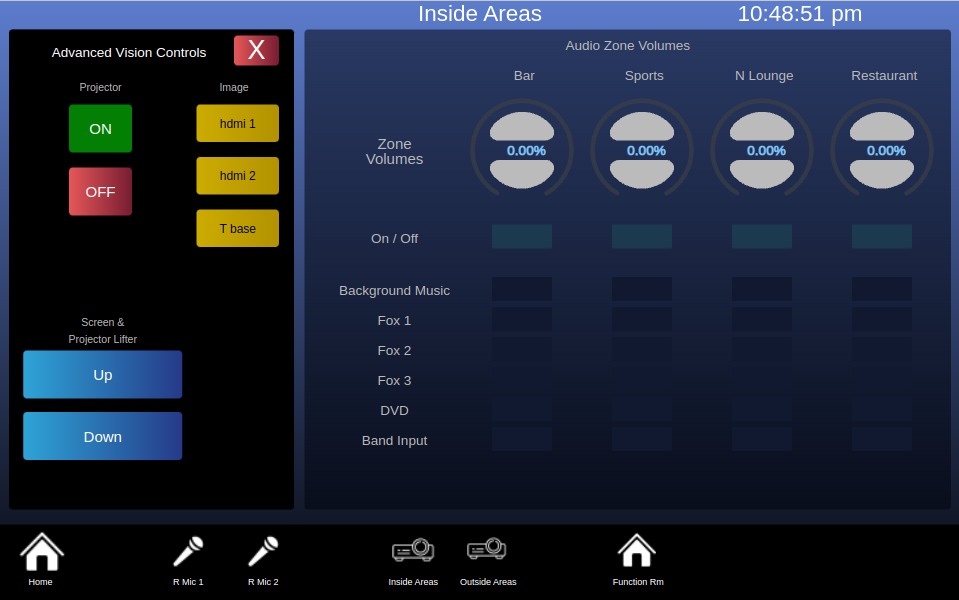
Hospitality Use
Client wanted a projector and 4 zones controlled with ease of use
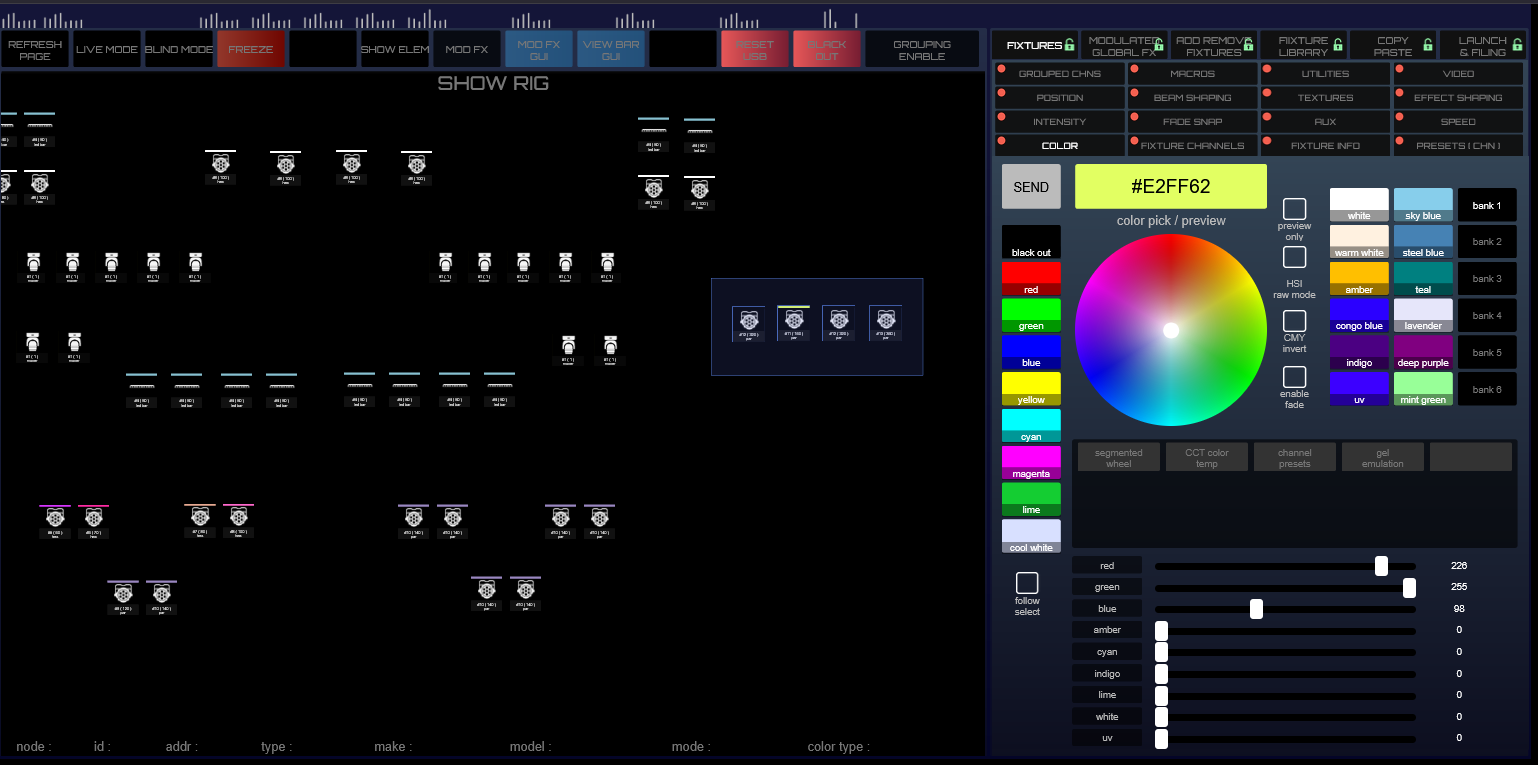
Pro DMX lighting
Yes pro dmx lighting control made using pyaura System. Very detailed control of lights. Control many dmx universes using nodes
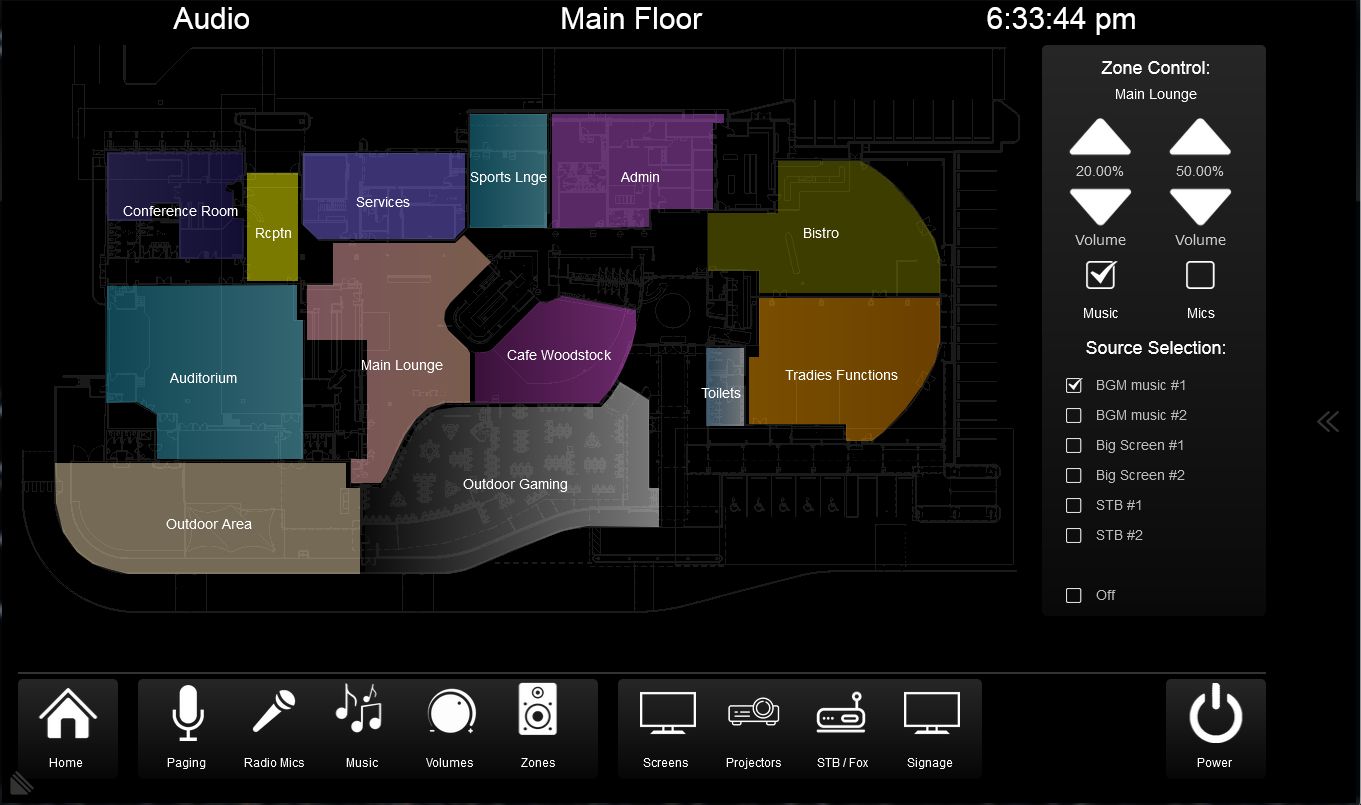
Audio Venue Map
When new staff are deployed and they don't know areas by names, a visual map says a thousand words.The added advantage off touching on the area to do a function. Example : turn off a radio mic. Open a zone perhaps.
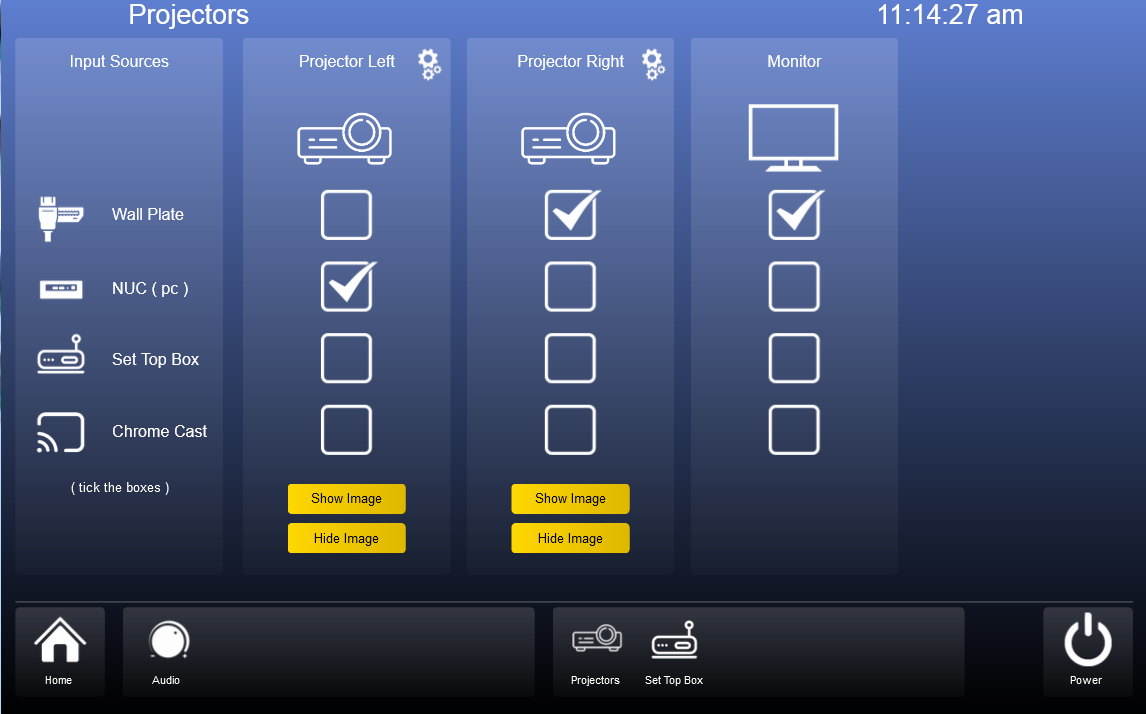
Projectors
A simple hdmi video matrix to manage 2 projectors in a room.
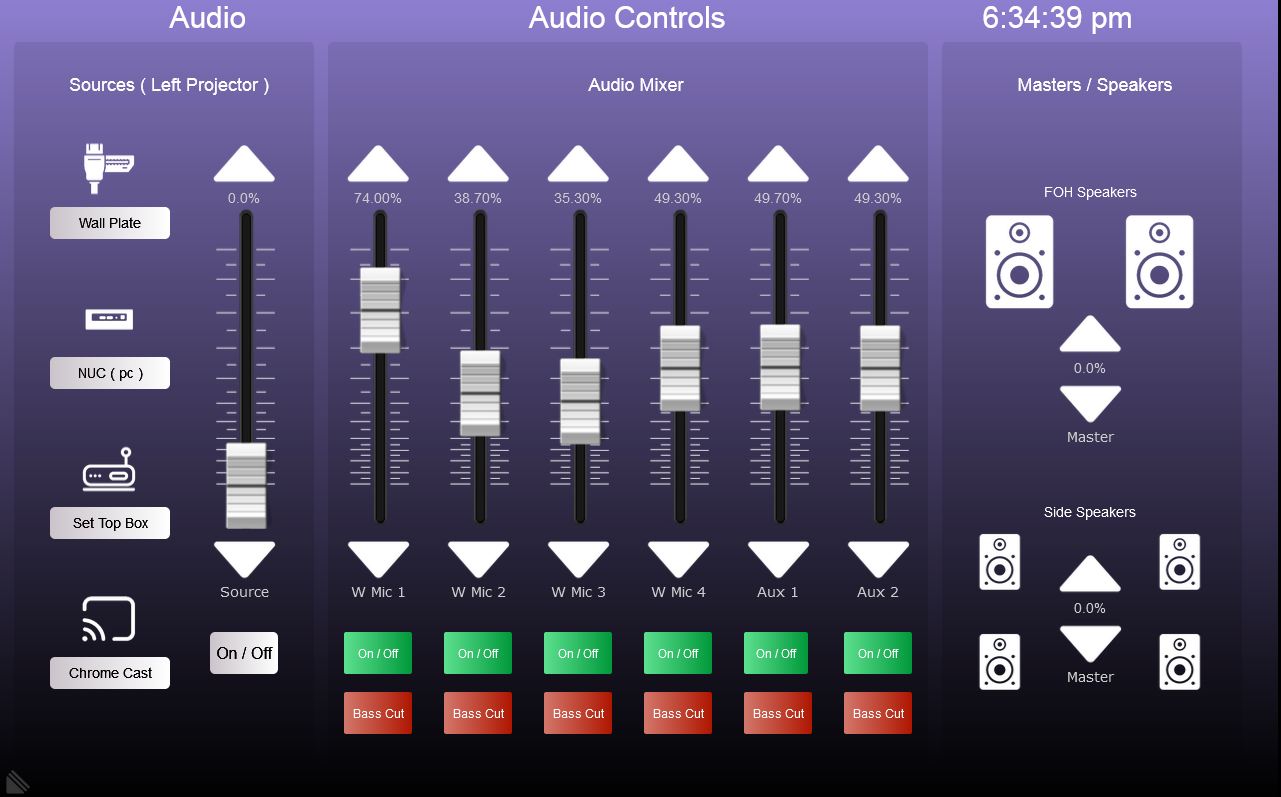
Audio Control Page
A simplified audio page control example.
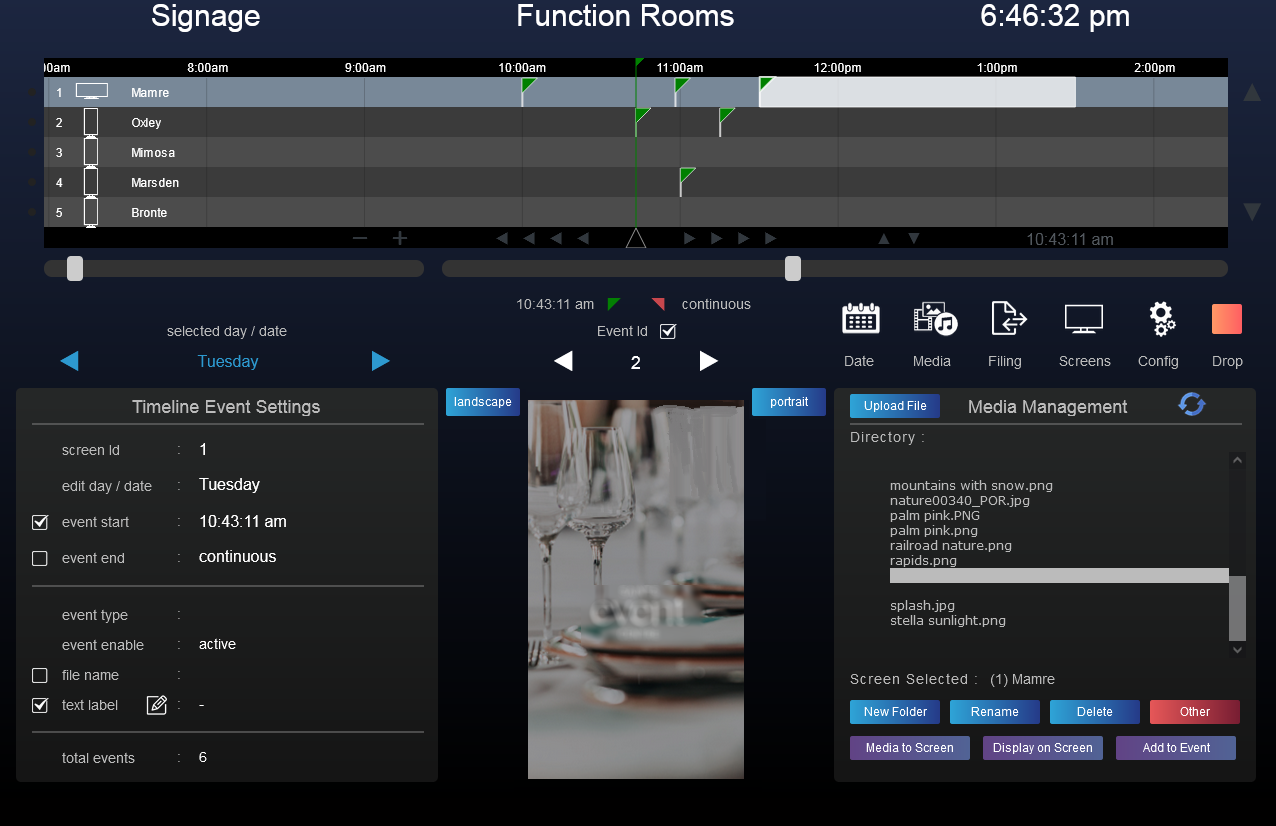
Time event Items
As timed events are important for particular set ups , this page is used to manage such events. Time events can be set up to control anything, example : audio trigger, a media file transfer, a relay turn on off , a turn ON all command etc. This particular example was set up to manage content for several screens.
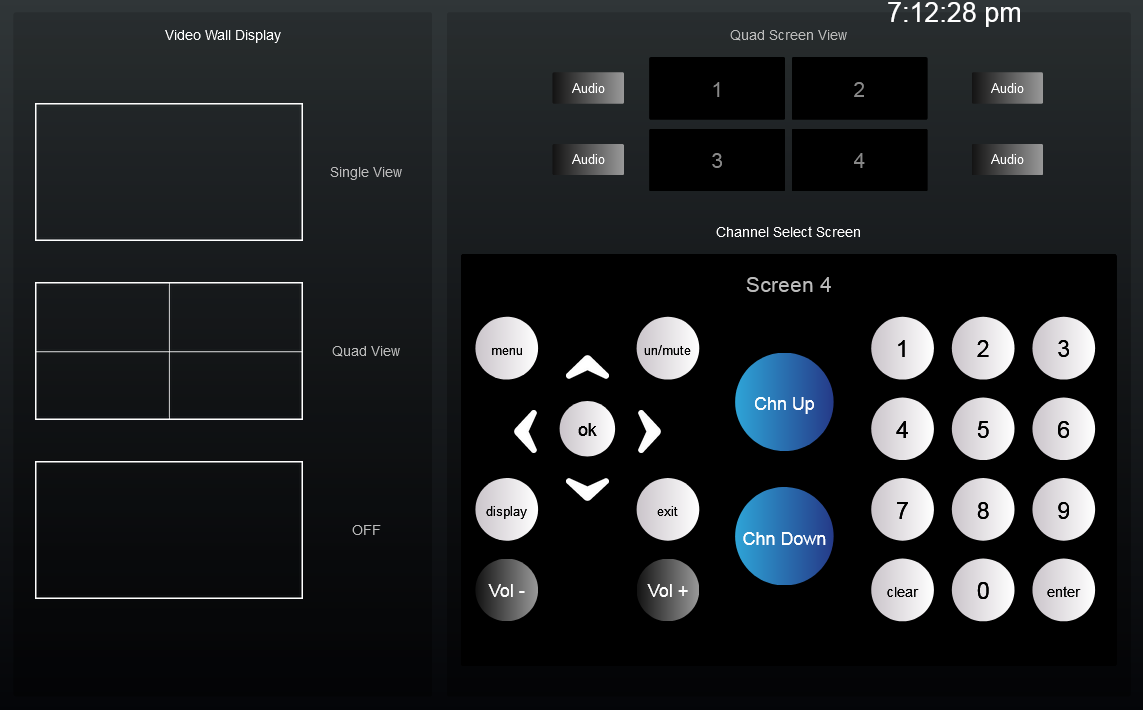
Quad LED Walll
This example controls a LED wall. This Wall has 2 modes of operations. Quad mode or large single mode view.
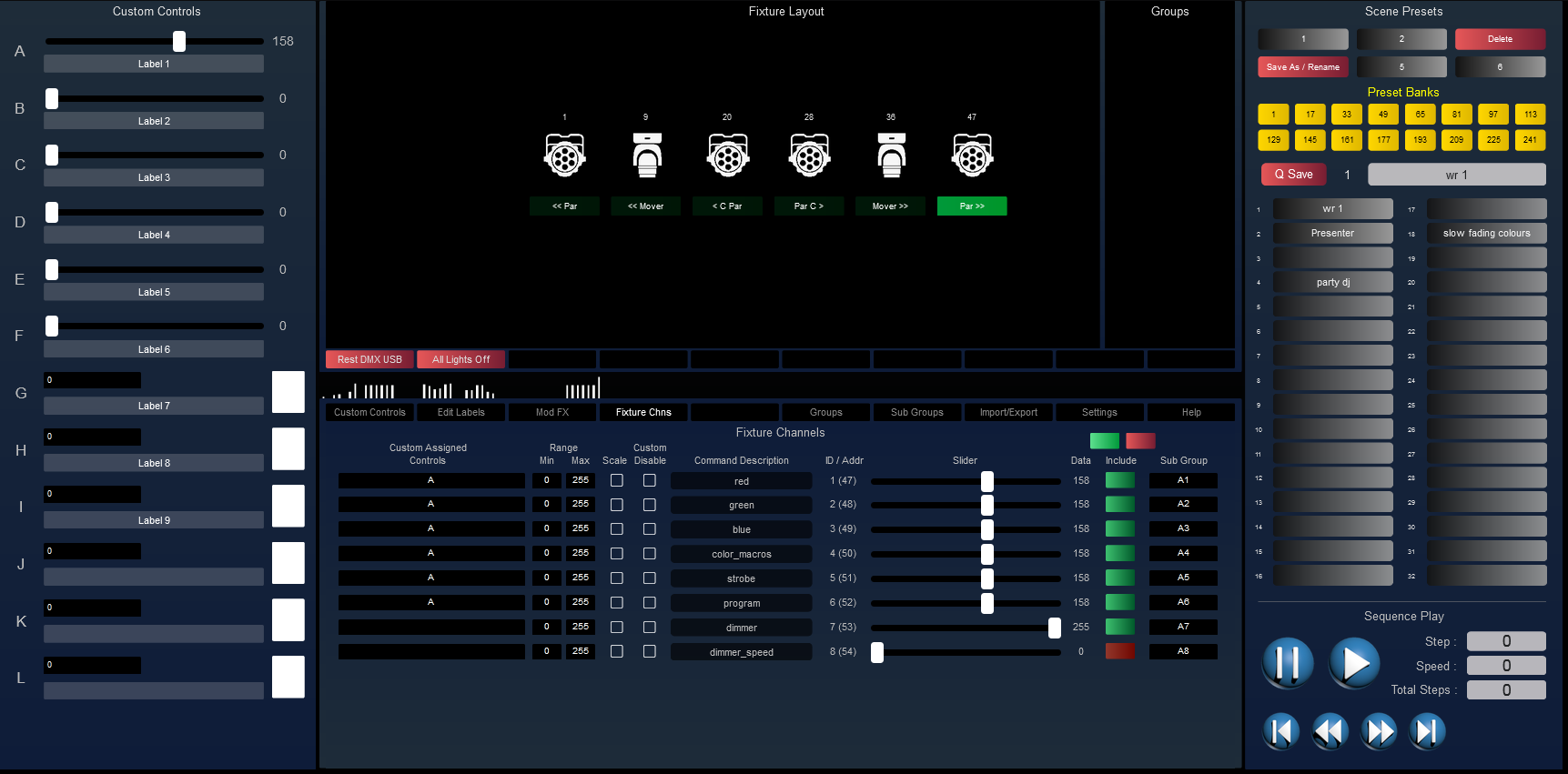
DMX Lighting Control
Very customised DMX lighting control can be programmed to suit a venues stage lighting. In the case here, these are movers, static RGB hexes , bar LED lights. The user can opearte, save there own shows using these controls.
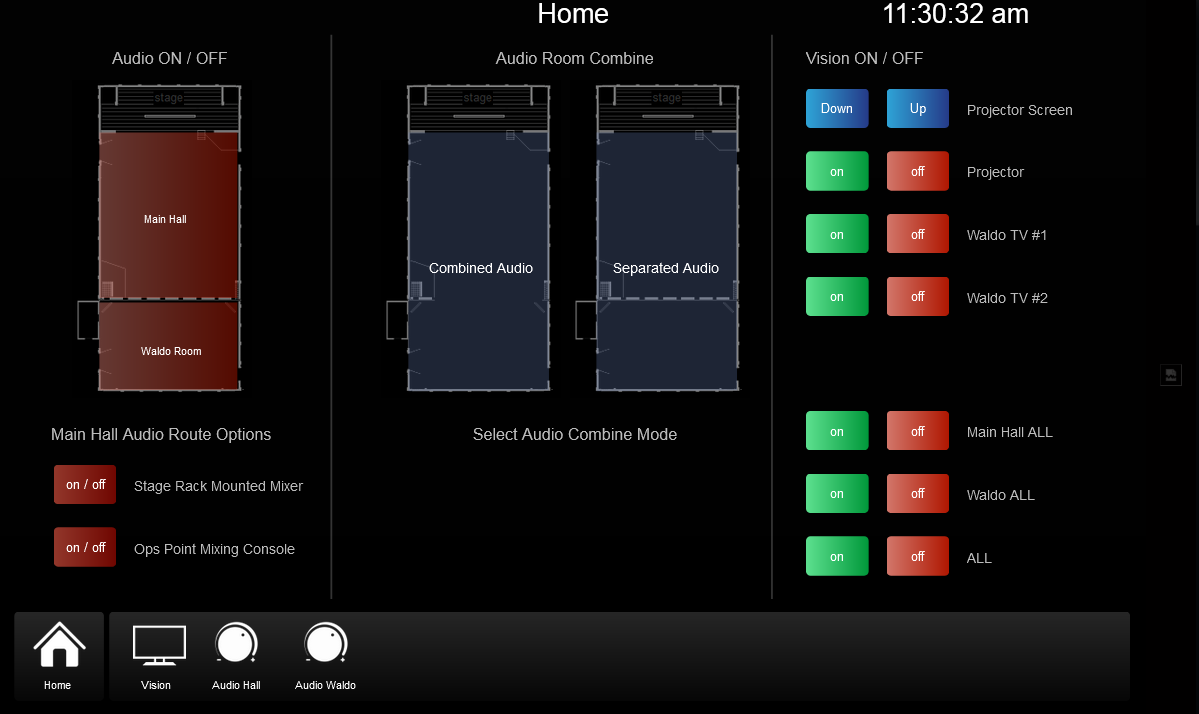
School Hall Control
A simple way to combine 2 rooms in a school hall environment. Select 2 rooms combined or uncombined. This example has 2 touch panels, where the second is locked out when the room is combined.
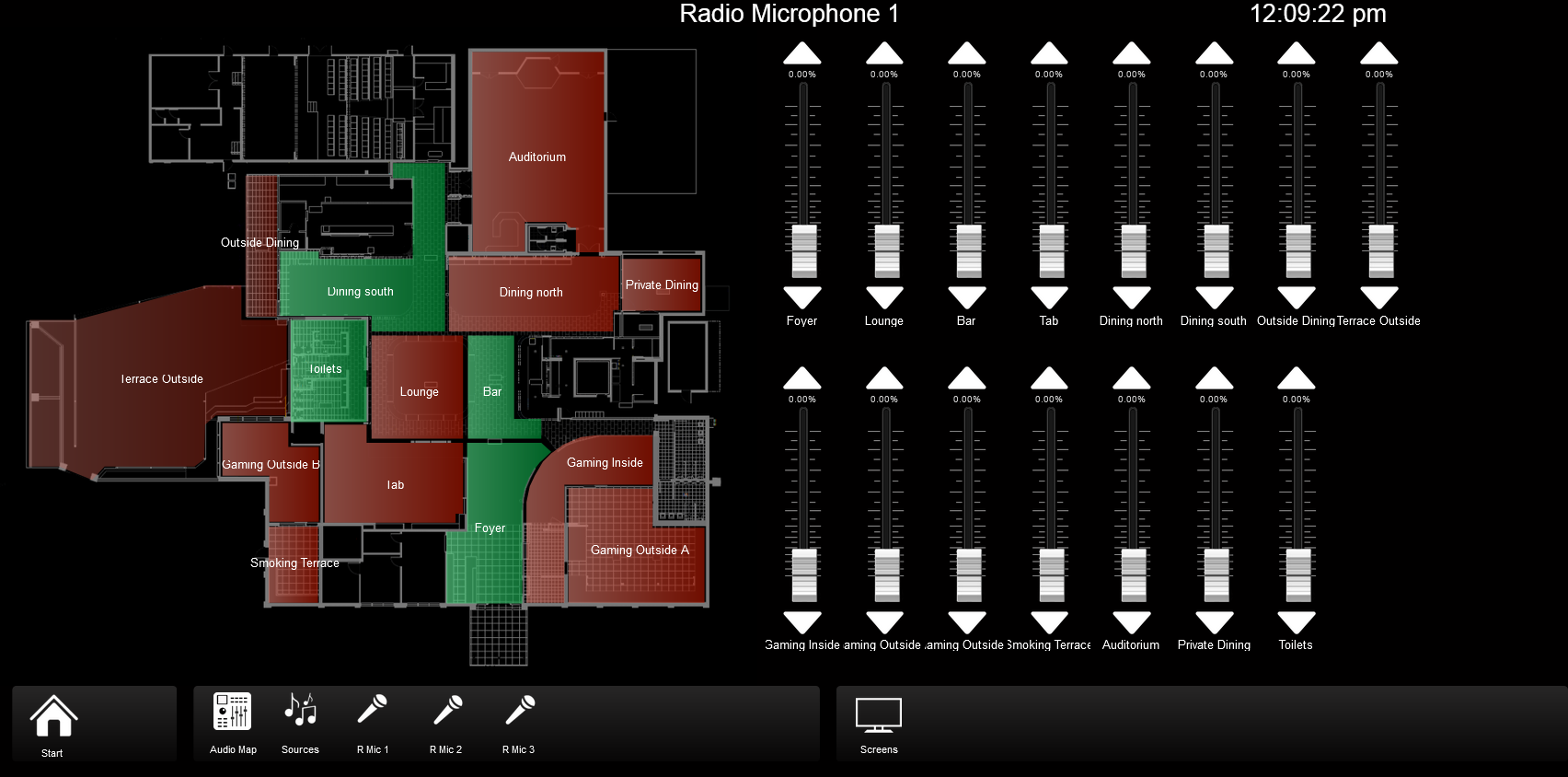
Browser PC Control
Example page , this was not using a touch panel but used windows edge browser to connect to system
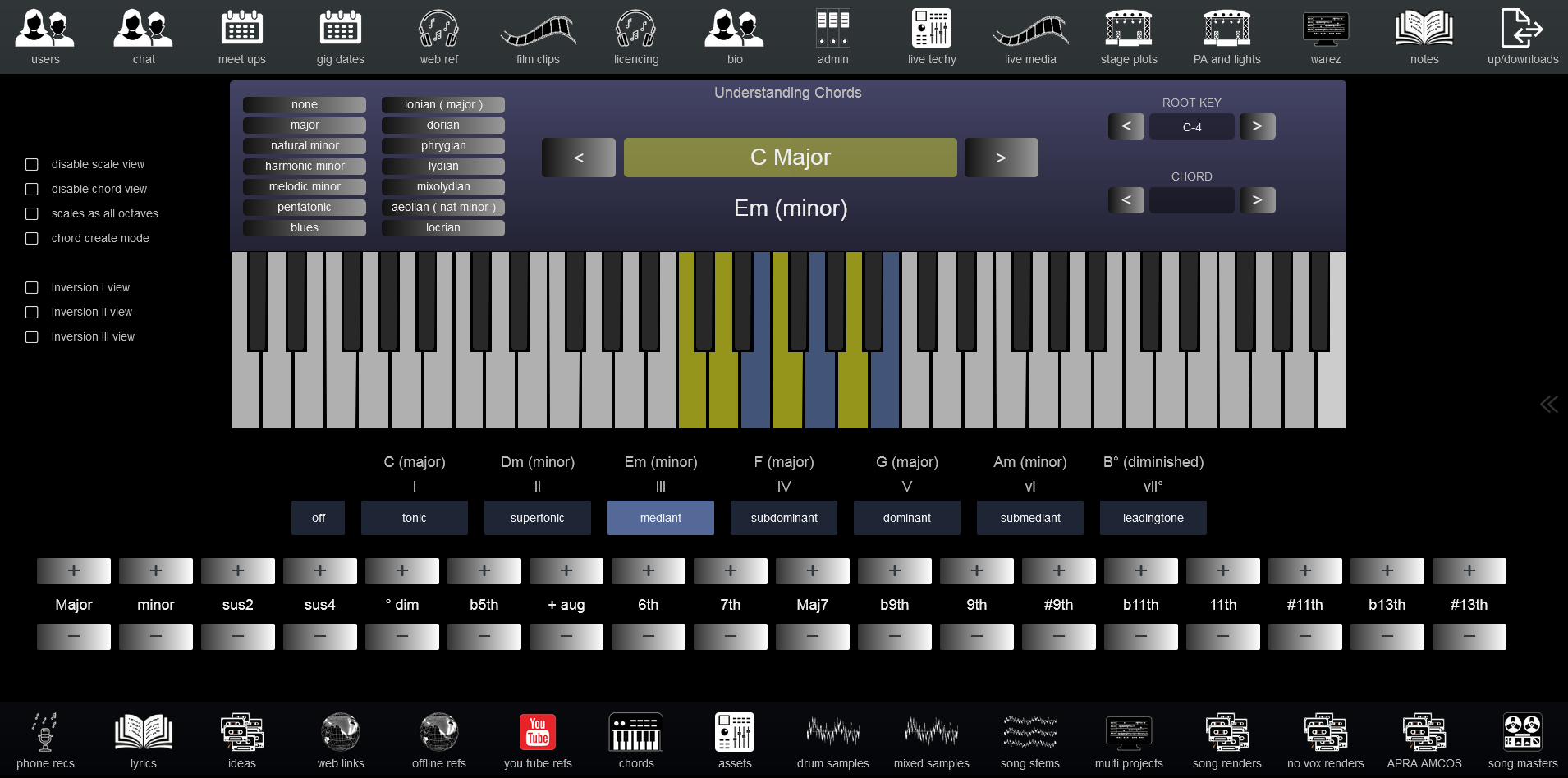
Musical Keyboard
Educational use. Learn the music scales. Or music chords scales. Can be Customised for educators.
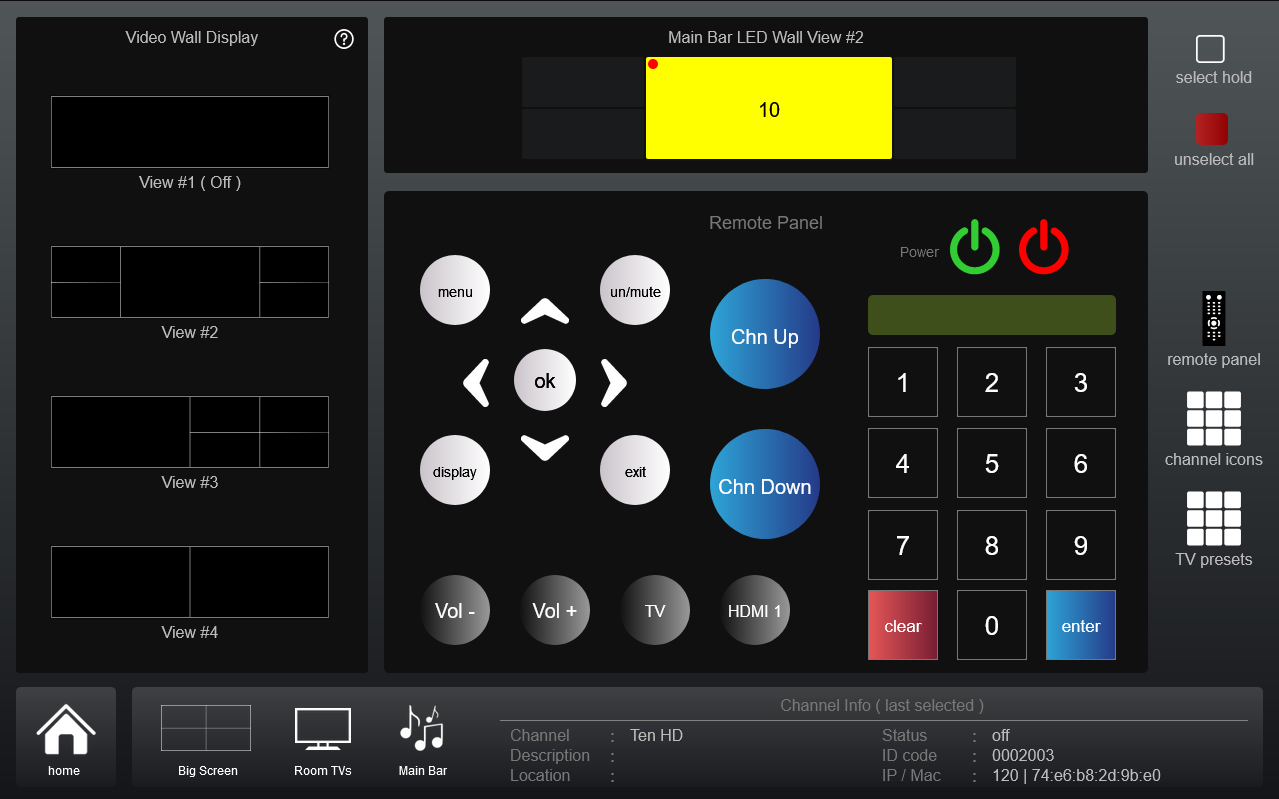
LED Wall
Control LED Walls or TV screens. You can put away your TV remote controls with this control page.
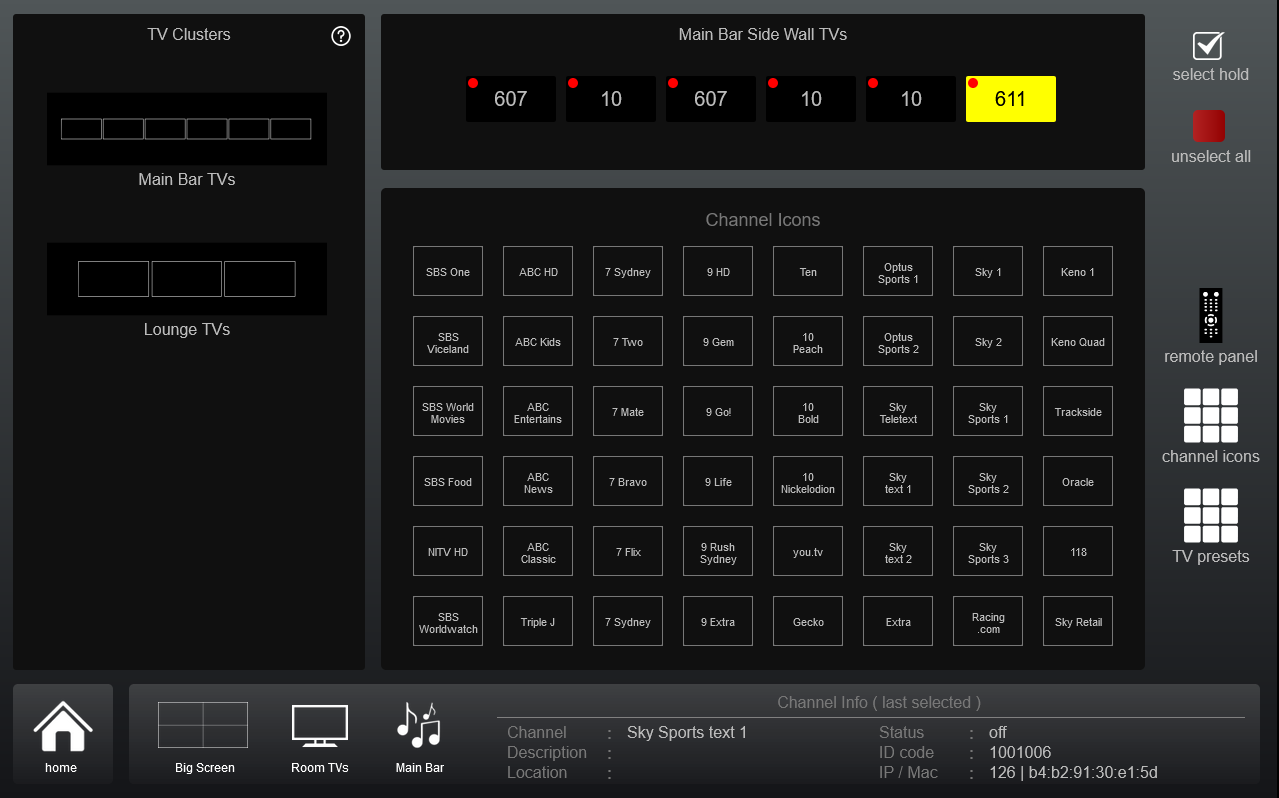
TV Channel Icons
TV channel selections using the channel icons. Usually most venues have there own custom channels on an IP TV or modulated TV system. This will unify all system for ease of use.
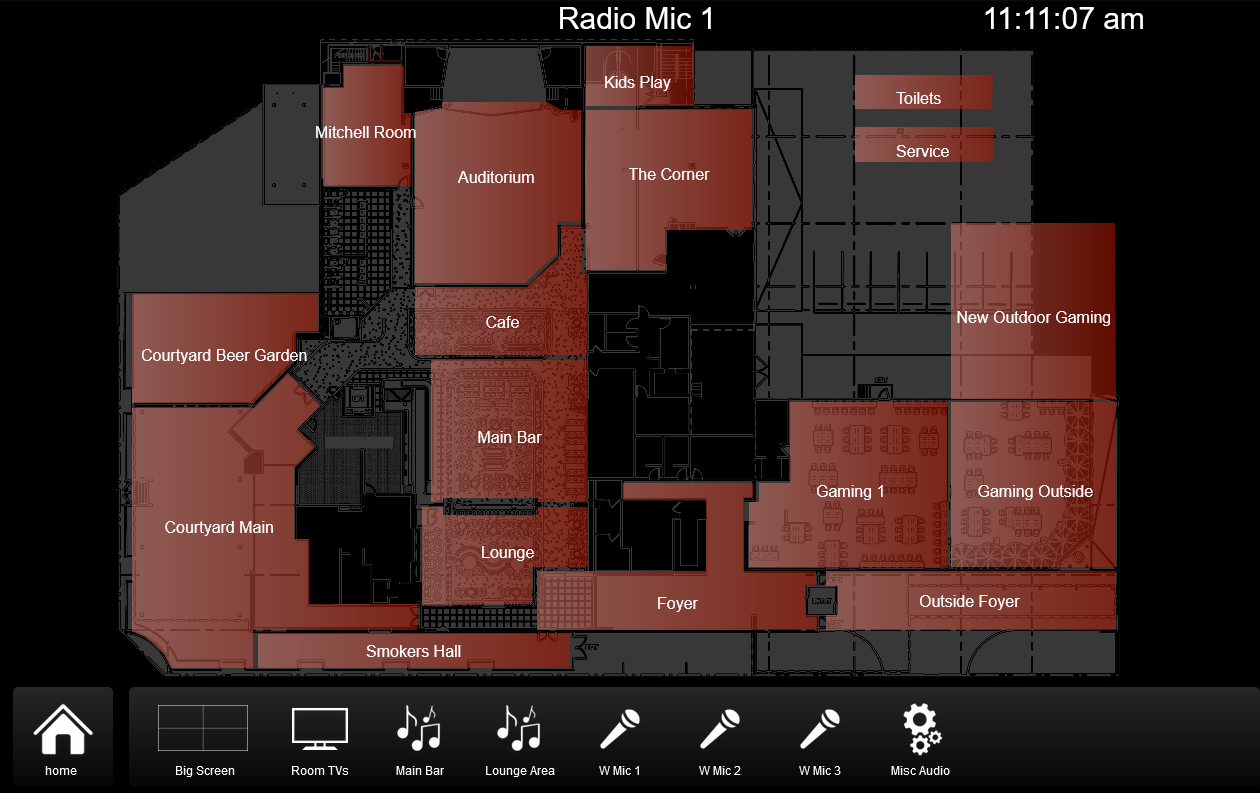
Radio Mic selection
Visual Maps really can help new staff when selecting items in a venue. In this case a single radio Mic is shown and able to be turned on and off in certain zones. Green is for ON and red is for OFF.
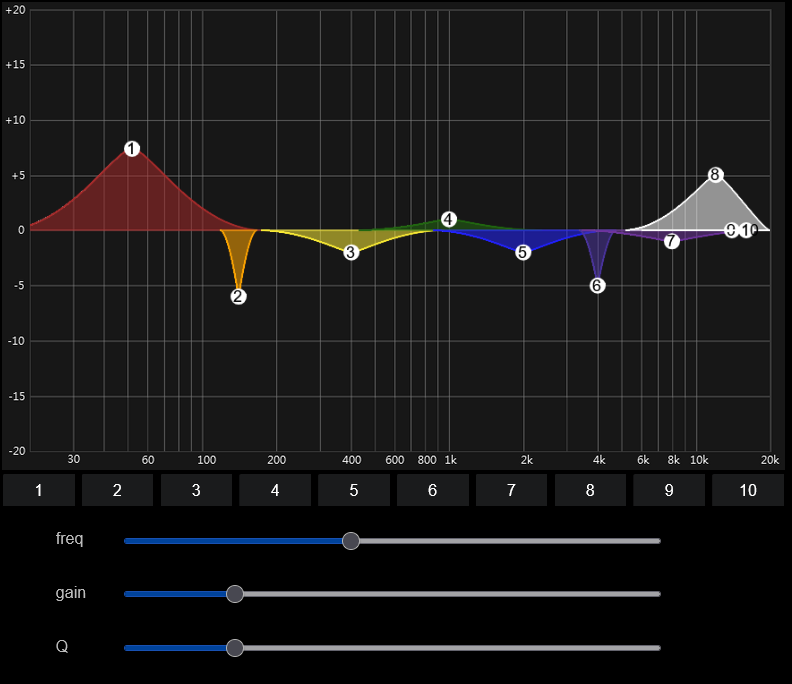
EQ control
Useful for advance EQ control. More for advanced users , this is available for use when needed.
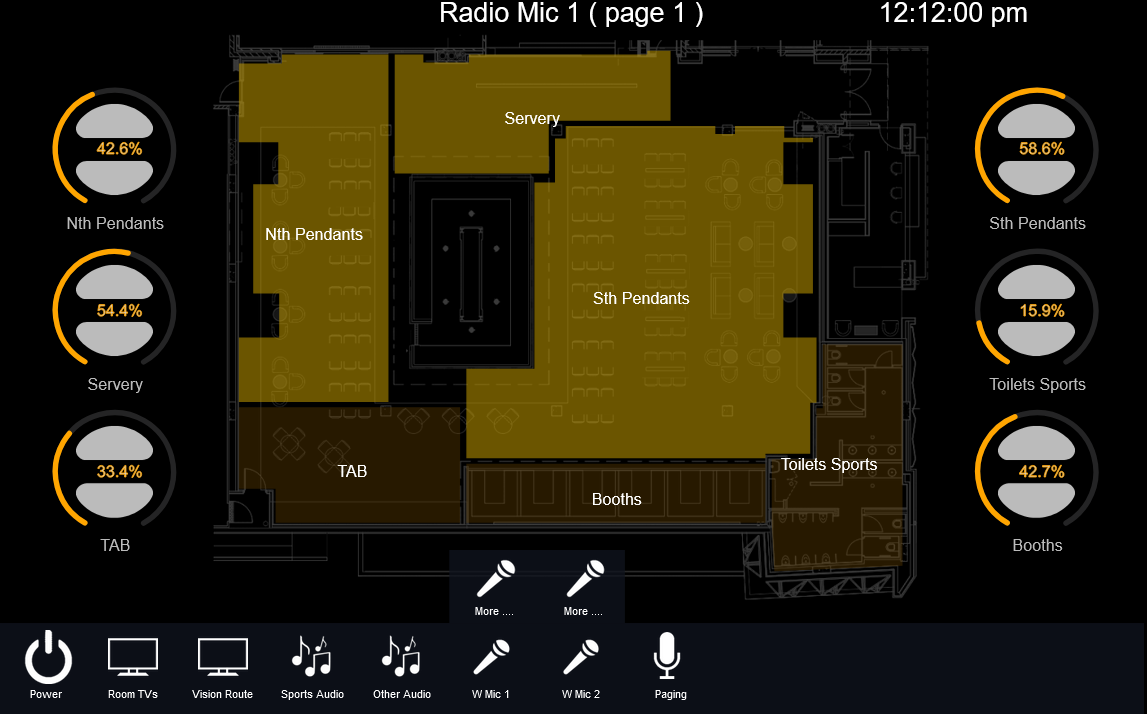
Mic selections and Maps
More Visual Map examples.
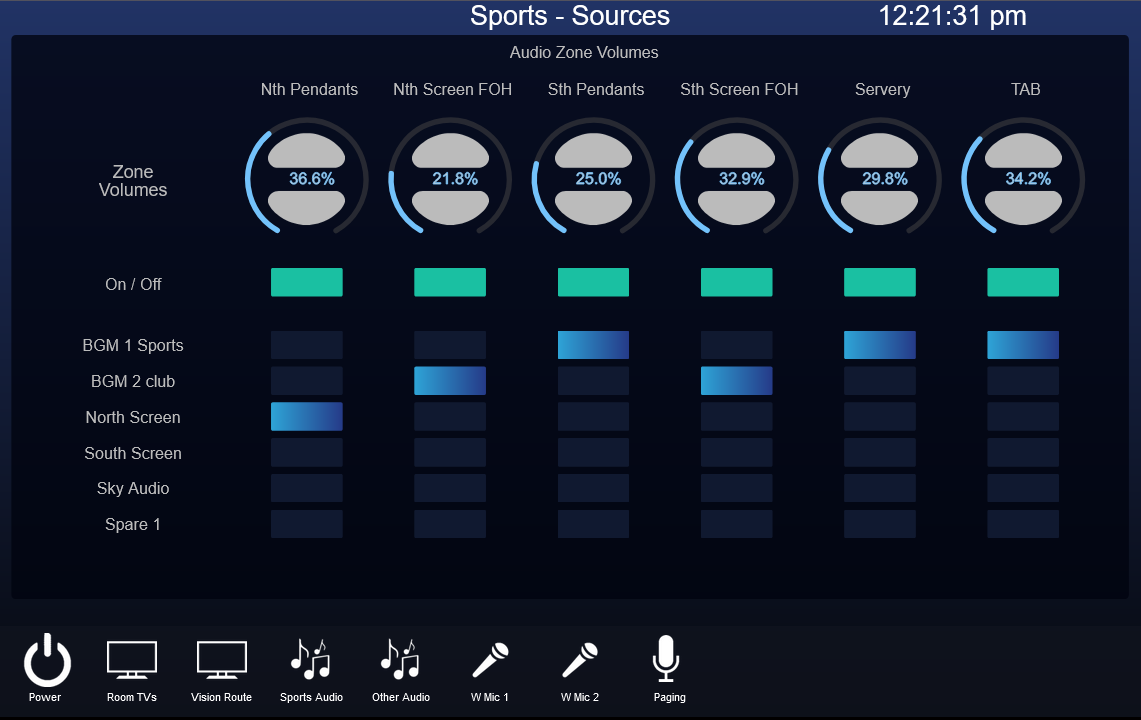
Source Selection
Music selections for multiple zoned areas.
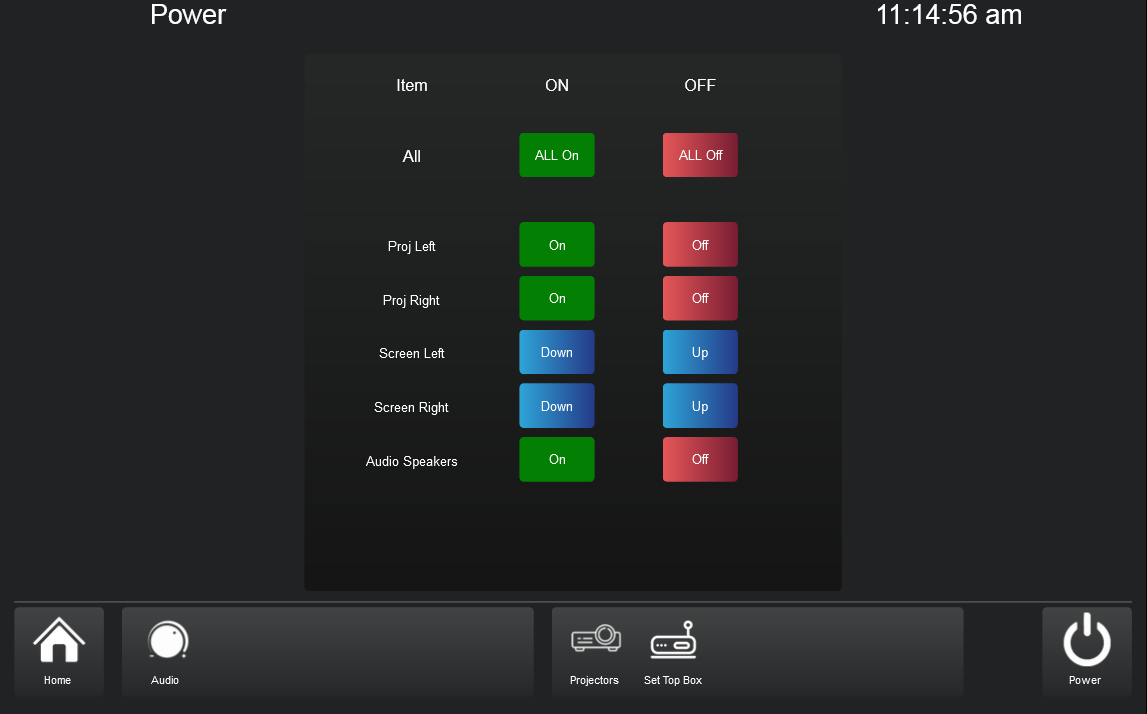
Power Control
Sometimes power control can be individual or grouped.
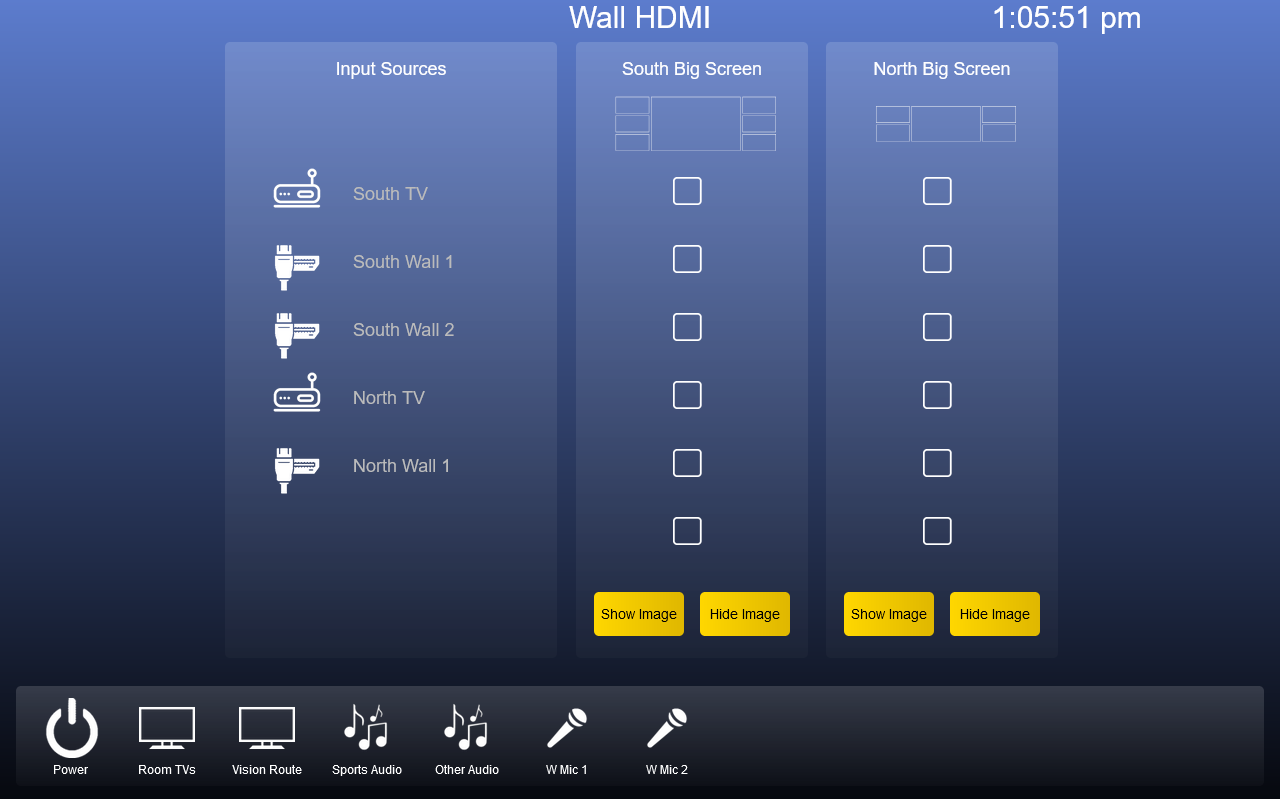
HDMI Routing
Allows you to control routing of HDMI to Multiple Screens including video walls.
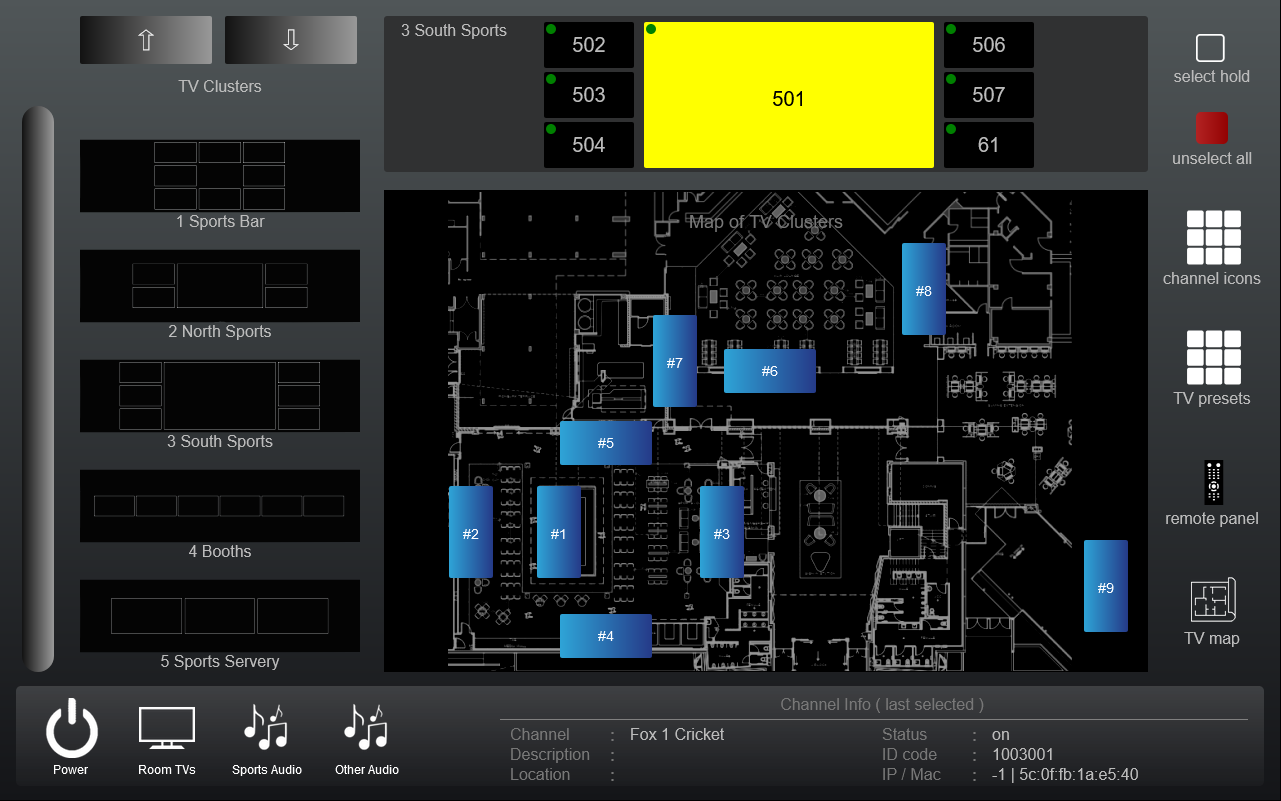
TV Cluster Map
This allows you to manage many TVs in a simple page.
